ngopibet Casino & Sportsbook Mobile App
Our ngopibet mobile app brings football markets, live-dealer tables, and slot games to your device through multiple installation paths — Android APK, iOS browser access, and web app. Each route offers the same account, balance, and game library, with the choice depending on your device and preference for native speed or browser convenience.

- SHA256 Match
- StartFirst Game
- DownloadAPK
- LoginOTP Verification
Mobile-first design matters because most ngopibet users access Liga 1 fixtures, Piala AFF tournaments, and live blackjack sessions from phones during commutes, breaks, or at home. Our app caches game data locally, sends push notifications for odds shifts and settlement alerts, and loads faster than repeated browser refreshes. Whether you deposit via e-wallet, mobile banking, local payment, or bank transfer, your account syncs instantly across all devices.
We built ngopibet's mobile experience around real user workflows — quick login, instant game search, one-tap bet placement, and withdrawal status tracking. No forced tutorials, no bloated menus. If you prefer a lightweight browser session without installation, our web app works on any modern phone. If you want offline caching and system notifications, the Android APK is the path.
Installation paths for ngopibet
We offer three ways to access ngopibet on mobile. Android users can download our APK directly from our site and install it by enabling unknown sources in device settings — this gives you a native app icon, offline cache, and push notifications. iOS users access ngopibet through Safari or Chrome, bookmark the site to your home screen, and use it as a web app with nearly identical speed and features. Web users on any phone simply visit ngopibet.app in their browser, log in, and start playing without any download.
Getting started with ngopibet
- Download or open: Android users download the APK from our site; iOS and web users open ngopibet.app in their browser.
- Register or log in: New users provide email, create a password, and verify their phone number. Existing users enter their credentials.
- Complete KYC: Upload a photo ID and proof of address to unlock deposits and withdrawals. Our support team reviews documents within standard verification windows.
- Add a payment method: Link DANA, e-wallet, mobile banking, local payment, or a bank account (online payment, e-wallet, mobile banking, local payment). Your first deposit unlocks our welcome offer.
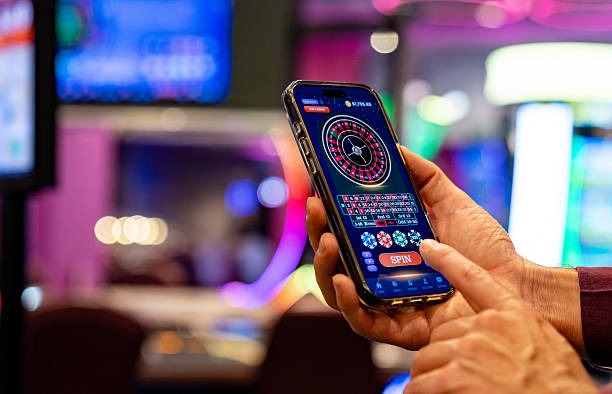
App vs. browser: strengths of each
Our ngopibet Android APK stores game assets locally, so subsequent launches are faster and work even if your connection drops online paymentefly. Push notifications alert you to odds changes, settlement results, and bonus credits without opening the app. The native interface integrates with your phone's back button and system gestures. The web app and browser access skip installation entirely — useful if you want to test ngopibet before committing storage space, or if you switch devices frequently. Both paths load live-dealer video streams, process bets, and handle withdrawals identically. Choose the APK for speed and notifications; choose the browser for flexibility and zero storage footprint.
Device compatibility
Our ngopibet app runs on Android 7.0 and later, covering the vast majority of phones in circulation. iOS users need iOS 12 or later to use our web app or browser bookmark. Older devices may experience slower video playback on live-dealer tables, but core betting and account functions remain stable. If your device is below these thresholds, the browser path on a newer phone or tablet is recommended. We test ngopibet on common devices across Jakarta, Surabaya, Bandung, and other regions to ensure consistent performance.
Troubleshooting common install issues
Android users must enable "Unknown sources" in Settings → Security to install our APK. If your phone blocks the download, check that your storage has at least 100 MB free. Some carriers or network filters may block APK downloads; switching to a mobile hotspot or home WiFi often resolves this. If the app crashes on launch, clear the app cache (Settings → Apps → ngopibet → Storage → Clear Cache) and restart. iOS users who bookmark ngopibet to their home screen may see a generic Safari icon initially; this is normal and does not affect functionality. If the web app feels slow, close other browser tabs and refresh. Our support team in English and Indonesian can assist with persistent issues via live chat or email.

Data, permissions, and account security
Our ngopibet app requests permission to send notifications and access your device's storage for offline game data. We do not access your contacts, camera, or location. All communication between your phone and our servers uses industry-standard encryption. Your login credentials and payment details are never stored on your device — only a session token that expires when you log out. If you lose your phone, log in to ngopibet from another device and change your password immediately. Our account recovery process requires email verification and identity confirmation via KYC documents. We recommend enabling two-factor authentication if your email account supports it, and never sharing your password or session link with others.
Why ngopibet users choose mobile
- game information on the go: Check Liga 1 and Piala AFF odds during work or travel without opening a laptop.
- Instant notifications: Receive alerts when your bets settle, bonuses arrive, or odds shift on your favourite markets.
- One-tap deposits: Link e-wallet, mobile banking, or local payment and fund your account in seconds.
- Offline game cache: Slot games and some live-dealer tables load faster on repeat visits thanks to local storage.
- Seamless account sync: Switch between your phone, tablet, and desktop — your balance and history follow you.
Our ngopibet mobile experience is built for users in supported jurisdictions where our services are permitted by local law. We do not offer our services in jurisdictions where online wagering is prohibited. Users are responsible for verifying that access and use comply with the laws of their own jurisdiction. By downloading or accessing ngopibet on mobile, you confirm that you are in a jurisdiction where our services are permitted and that you accept full responsibility for verifying local compliance.